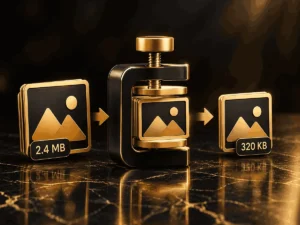
Image Resizer & Cropper is a free online tool that lets you resize, crop, and optimize images directly in your browser. Whether you are preparing images for your website, social media, blog posts, or other digital projects, this tool helps you adjust image dimensions and crop specific areas quickly and easily.
Key Features of Image Resizer & Cropper
- Resize Images: Change image dimensions using a percentage-based scaling control.
- Crop Images: Select and adjust a specific area of an image using a movable crop box.
- Aspect Ratio Presets: Choose popular crop ratios, including 1:1 square, 16:9 widescreen, and 4:3.
- Batch Processing: Upload multiple images and resize them in one session.
- Image Quality Control: Adjust the quality setting when processing images.
- Custom Dimensions: Enter the desired width and height for your image workflow.
- Private Browser Processing: Images are processed locally in your browser without being uploaded to an external server.
How to Use Image Resizer & Cropper
- Upload Images: Select one or more image files or drag and drop them into the upload area.
- Choose an Editing Mode: Select Full Image Resize to scale an entire image or Crop Mode to select a specific area.
- Adjust Image Size: Use the dimension scale slider to resize images proportionally.
- Crop Your Image: In Crop Mode, move or resize the crop box. You can also select an aspect ratio preset.
- Control Quality: Adjust the image quality setting when using the resizing workflow.
- Download Your Images: Click Download Processed Image(s) to save your edited files.
Who Can Use This Tool?
Image Resizer & Cropper is useful for website owners, bloggers, content creators, designers, and anyone who needs to prepare images for digital use. It can help create appropriately sized images for websites, online articles, social media posts, and other projects.
Free Online Image Resizing and Cropping
With Image Resizer & Cropper, you can perform common image adjustments without installing additional software or creating an account. Image processing takes place in your browser, helping you keep your original files on your own device.
Upload your images, adjust their size or crop area, and download the processed results whenever you need them.